Lenz for Chrome.
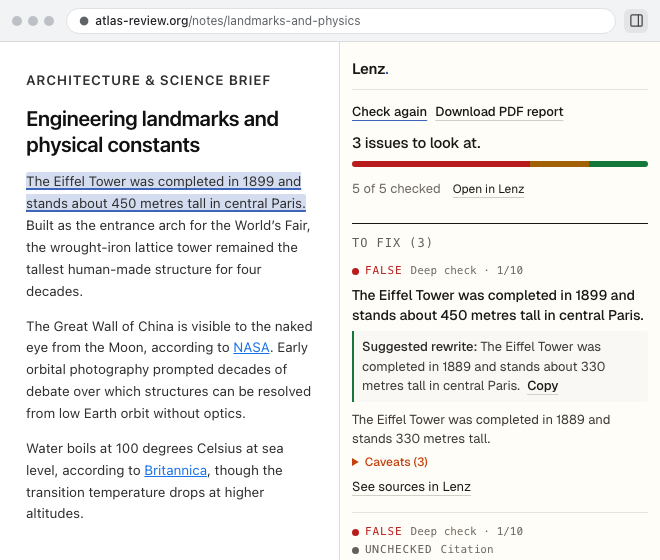
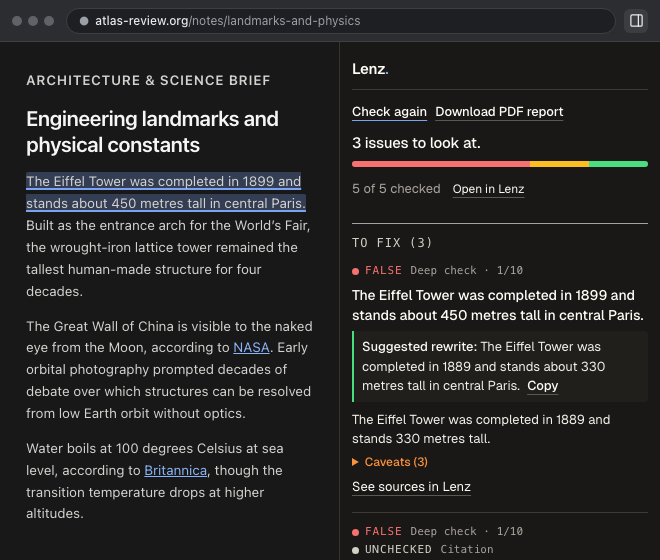
Check the page you have open without leaving your tab. Lenz checks factual claims against independent sources and checks whether cited links support what’s written. Findings appear alongside it in Chrome’s side panel.
- Works inChrome on a computer
- AccessOnly when you start a check
- ChecksPages, selections, PDFs, YouTube
- ExportShareable PDF report
01How it works
In Chrome’s side panel.
Open the extension from the toolbar, the right-click menu, or a keyboard shortcut.
Open the side panel
Click the Lenz icon in Chrome’s toolbar, or right-click on a page and choose Check this page with Lenz. To check one passage, highlight the words first and choose Check selection with Lenz.
Sign in
Sign in with your Lenz account the first time you run a check. No account yet? You can create one from the side panel.
Pick a depth and check
Choose Quick scan, Standard, or Thorough, then start the check. If you close the side panel while it runs, the toolbar badge shows when your results are ready.
Read and locate findings
Findings are grouped into Issues, Closer look, Checks out, and Unchecked. On web pages, click a finding to locate and highlight the matching words.
On YouTube videos and online PDFs, Lenz checks the transcript or PDF directly from the page address. In Google Docs, the side panel points you to the Lenz Fact-Checking add-on.
02What you get back
Findings beside the page.
- ClaimsA quick check of the factual claims Lenz finds: a quick verdict and how confident Lenz is. Findings are grouped into Issues, Closer look, Checks out, and Unchecked, with a clickable bar to jump to any group.
- CitationsFor each linked source, whether the cited page says what the text attributes to it. Citation verdicts appear on the claim card they belong to.
- Deep checksStandard runs deep checks on up to 3 flagged claims; Thorough runs them on up to 10 flagged or uncertain claims. Lenz investigates each claim: it researches independent sources, has two models argue both sides from them, and has three independent reviewers score the evidence. Open the finding in Lenz to see the sources and reasoning.
- Corrections & PDFWhere the findings support a correction, Lenz suggests wording you can copy. Download a PDF report of the completed review, or open it on lenz.io.
A quick check takes about fifteen seconds per claim; a deep check takes about a minute or two. Checking a whole page takes longer. The deep check can change the quick verdict. When it does, rely on the deep check: it is the one that shows its sources and its reasoning.
03Without the extension
Or bring the page to Lenz.
- Paste its linkPaste a public web page, YouTube link, or direct PDF address in the Workbench. Lenz extracts and checks the claims and citations without installing anything in your browser.
- Paste text or upload a filePaste text or upload a PDF or Word document in the Workbench on a computer. Review the claims and citations beside your draft and export an annotated report.
04Your browsing and your data
Only the page you check.
- The extension accesses the active tab only when you start a check from the side panel, the right-click menu, or the keyboard shortcut.
- It never reads pages in the background and never reads your browsing history.
- When you start a check, the visible text of the page (or your selected text, or the page address on YouTube videos and direct PDFs) is sent over HTTPS to Lenz, where the check is private to your account.
- In your browser’s local storage, it keeps only your Lenz sign-in and, for up to 24 hours, the sent text and results so the side panel can highlight findings on the page. Signing out or uninstalling removes them.
- We do not sell your data, use it for advertising, or use it to train AI models. To disconnect the extension, remove it in Chrome or disconnect it under Connected apps in your Lenz account.
05Cost
What it costs.
Free to start, no card required: 100 credits a month. Quick checks, citation checks and deep checks use credits from your Lenz account, as they do on the website.
06Questions
Yes. Sign in from the side panel before your first check. If you don’t have an account, you can create one there. It’s free to start, with no card required.
No. It accesses only the tab you are on, and only when you start a check from the side panel, the right-click menu, or the keyboard shortcut. It never reads pages in the background or your browsing history.
Quick scan runs quick checks and citation checks only, with no automatic deep checks. Standard also runs deep checks on up to 3 flagged claims, and Thorough runs them on up to 10 flagged or uncertain claims.
You can highlight a passage on any page to check only those words, or run a check on a YouTube video or an online PDF from its tab. In Google Docs, the side panel points you to the Lenz Fact-Checking add-on.
Yes. Paste the link to a public web page, YouTube video, or PDF in the Workbench on a computer.
07Other ways to connect
The same verdicts, wherever you work.
- Claude and ChatGPTAdd Lenz to the assistant you already use. One sign-in, no key to paste.
- Google DocsCheck a draft from the Extensions menu. The findings appear beside your text.
- MCP serverClaude Code, Cursor, VS Code, Codex and other coding tools: one command, then sign in.
- n8nA community node with fourteen operations, from a quick check to a full verification.
- ZapierThe same trigger-and-actions shape for Zaps, with the same structured output.
- API & SDKsThe CLI and the REST API, with typed Python and TypeScript SDKs.